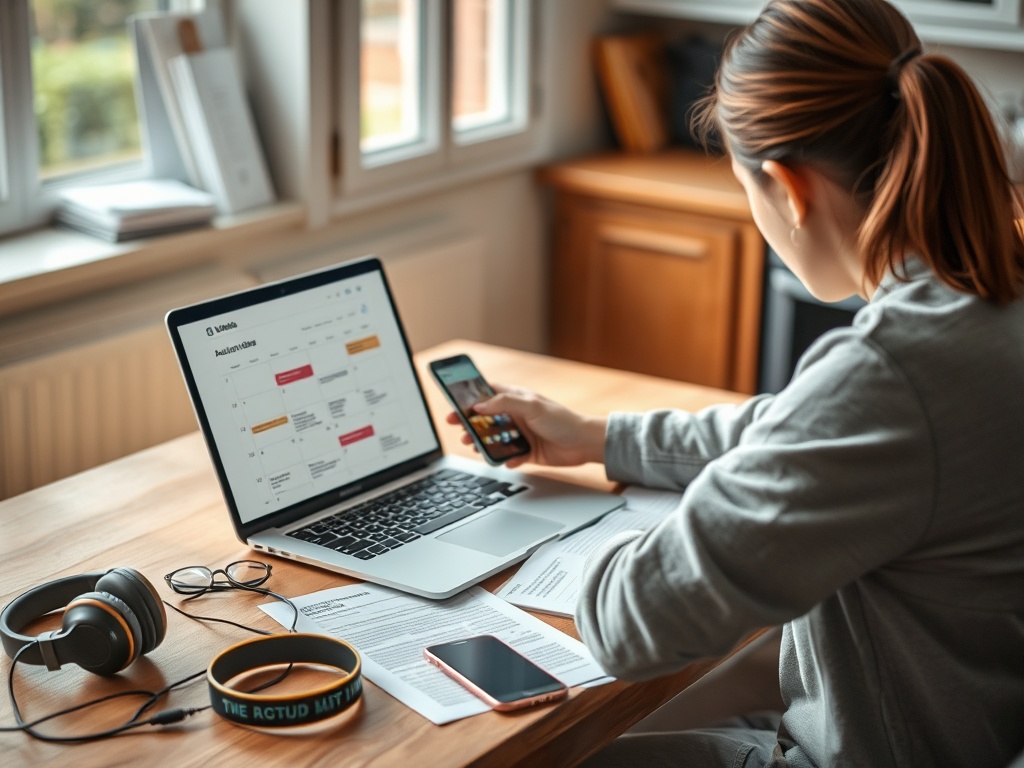
The best tools for tracking tour dates, release calendars, and presales are the ones that catch official announcements early without burying you in duplicate alerts. A reliable setup combines artist-direct channels, calendar alerts, ticketing accounts, and one or two discovery tools.
Summary: Use official artist mailing lists for accuracy, Songkick or Bandsintown for tour alerts, Spotify’s live events feed for listening-based discovery, and Ticketmaster account settings or fan-club instructions for presale access. Keep one master calendar so alerts become action, not noise.
Start With Official Channels
Artist websites, newsletters, venue pages, and verified social accounts are still the cleanest source for tour and release news. Discovery apps are useful, but they can lag behind official announcements or miss special presale rules. For presales, Ticketmaster explains that fan-club presale access often starts with joining the artist’s official fan club and receiving a code before the presale begins in its fan-club presale help page.
Create a simple tracking system: favorite artists, likely cities, venues you can reach, budget ceiling, presale source, general sale date, and backup plan. This prevents panic-clicking when several alerts arrive at once.
Compare the Main Tool Types
| Tool Type | Best Use | Limitation |
|---|---|---|
| Artist mailing lists | Official announcements and fan-club access | Requires manual signup for each artist |
| Songkick or Bandsintown | Tour alerts across many artists | Listings can duplicate or vary by region |
| Streaming-app event feeds | Discovery based on listening habits | Not a complete presale strategy |
| Ticketing accounts | Sale access, queues, saved payment details | Can favor certain venues or promoters |
| Personal calendar | Turning alerts into reminders | Only works if you maintain it |
Songkick describes itself around concert discovery and artist tracking on its concert tracking platform, while Spotify’s live events feed focuses on concerts and events personalized by listening habits. These tools are useful for discovery, but they should not replace official artist and venue checks for high-demand events.
A Setup That Reduces Missed Sales
1. Create or update accounts on ticketing platforms you actually use. Add payment details only where you trust the seller and understand the policies.
2. Follow artists in one tracking app, not every app. Duplicate alerts create confusion.
3. Subscribe to official mailing lists for your highest-priority artists.
4. Add presale registration deadlines, presale starts, and general sale starts to one calendar.
5. Set a budget before the queue opens and decide when you will walk away.
This process also helps with ticket-price stress. Before comparing premium seats or variable-priced options, read a practical guide to dynamic ticket pricing and smarter shopping so the alert system supports your budget instead of undermining it.
Common Tracking Mistakes
- Relying only on social feeds, where algorithmic timelines can hide announcements.
- Assuming a presale code guarantees a ticket. It usually improves access, not supply.
- Using too many alert apps and losing track of which sale is official.
- Waiting until sale day to create accounts or update payment information.
- Ignoring venue-specific rules, age restrictions, transfer policies, and ticket delivery timing.
When a Free Setup Is Enough and When Paid Membership Helps
A free setup is usually enough for casual fans, local shows, smaller venues, and artists with steady availability. Paid fan clubs or memberships may help when the artist gives members early access, but they should be judged against the actual tour pattern, your city options, and your willingness to attend at the available price.
Some artists and platforms use dedicated presale systems, and those rules change from event to event. Treat every high-demand event as its own case. Similar value discipline appears in game subscription comparisons: more access is useful only when it matches your actual behavior.
A Calendar Workflow for High-Demand Events
For priority artists, create calendar entries before any tickets are on sale. Add fan-club registration deadlines, presale code delivery windows, presale start times, general sale times, and a reminder 30 minutes before each sale. Use the event time zone, not your memory, and include a note with your maximum price and preferred sections.
Keep release calendars separate from ticket calendars if music drops and tour dates create too much noise in one view. A weekly review is enough for releases, while presales may need minute-level reminders. The point is to make the system calm before the sale becomes stressful.
- Use one master calendar rather than scattered screenshots.
- Archive expired alerts so old presales do not clutter the next sale.
- Keep venue account passwords updated before announcement week.
- Write down backup cities only if you would truly travel for them.
How to Measure a Useful Alert System
A useful alert system produces fewer surprises, not more notifications. You should know the sale date, presale path, likely seller, and budget before the general fan conversation peaks. If your phone is noisy but you still miss registration windows, the system is failing.
Review the system after each major sale. Which alert arrived first? Which one was duplicate noise? Which account needed updating? Which calendar reminder actually helped? Remove tools that create stress without improving access.
For releases, measure the system by listening behavior. If alerts help you hear albums, watch premieres, or plan social viewing without feeling overloaded, they are doing their job.
For multi-artist households, assign one person to maintain the shared calendar rather than letting everyone assume someone else saw the announcement. Add color labels for confirmed plans, possible shows, and releases that only need a listening reminder. This keeps enthusiasm organized without making entertainment feel like administration.
A good tool should also respect attention. Turn off broad promotional alerts that do not match your artists, cities, or genres. The fewer irrelevant messages you receive, the more likely you are to notice the one reminder that matters.
Keep a short list of venues you trust and venues that require extra caution. Some buildings have strict bag rules, mobile-only tickets, delayed delivery, or limited transfer windows. Adding those notes to your calendar can save last-minute confusion.
For releases, include time to actually listen or watch. A release reminder that never leads to attention is just another notification competing with the music or performance you wanted to enjoy.
Build Alerts Before Demand Peaks
Pick one discovery app, subscribe to official channels for priority artists, maintain a master calendar, and decide your budget in advance. The goal is not to chase every alert; it is to be ready for the few events you genuinely care about.